A Week with the Mudita Kompakt
Published: 17 December 2025
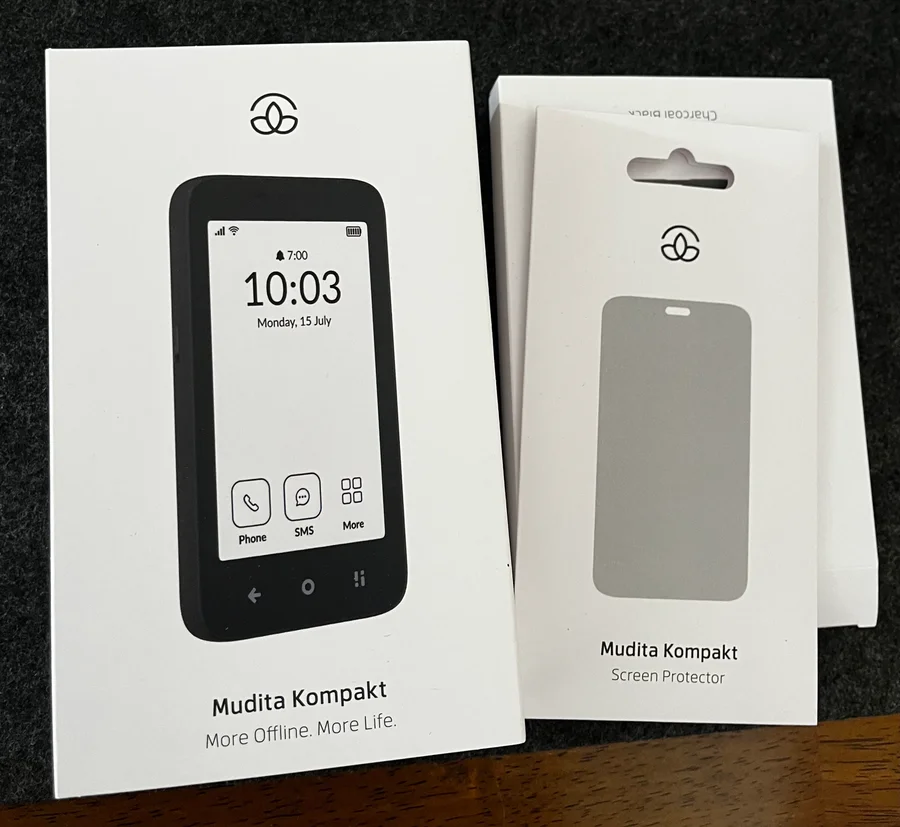
I used the Mudita Kompakt as my primary device for about a week. It’s a promising step forward from the Mudita Pure I reviewed previously, but it still requires some effort to become a practical daily driver. Here’s what I learned.
What Helped
Out of the box, the Kompakt’s stock software feels incomplete and missing some important components. To configure it to suit my needs, I relied on several additions.
F-Droid and the Aurora Store
The open nature of the Kompakt means you can sideload applications, and this flexibility is what makes it worthwhile compared to other feature phones and minimalist devices. F-Droid provides access to free and open-source apps, while the Aurora Store lets you install apps from the Google Play catalogue without needing a Google account. Together, they give you the freedom to customise the phone however you like.
inkOS Launcher
I cannot overstate how important inkOS is for making the Kompakt a viable device. Created by Gëzim Os, this launcher is designed specifically for e-paper displays, and it solves what would otherwise be a dealbreaker: it allows you to see notifications from sideloaded apps. The stock Mudita software simply doesn’t support this. Without inkOS, you’d have no way of knowing when you receive messages from apps you’ve installed yourself. Gëzim deserves tremendous credit for making the Kompakt actually usable as a daily driver.
FUTO Keyboard
The default on-screen keyboard that ships with the Kompakt is slow and difficult to use. I’m still waiting on T9 for the Pure, but at least on the Kompakt we have the ability to install alternatives. I replaced the stock keyboard with FUTO Keyboard, which also supports on-device voice typing. The voice recognition worked surprisingly well and made composing messages far more practical.
A Warm Lamp
The Kompakt features a two-toned flashlight with amber and white LEDs. The amber light is less disruptive to melatonin production, making it a thoughtful choice for nighttime use. To activate the flashlight though, you need to turn on the display, which has a bright white backlight. So you end up staring at a sleep-disrupting screen just to turn on a light designed not to disrupt your sleep. In practice, I found myself reaching for a warm lamp instead. The Pure had the same issue, and all of my other e-paper devices have warm backlights, so this felt like room for improvement that hasn’t been addressed.
A Second Phone
As much as I wanted the Kompakt to handle everything, certain apps simply won’t run without Google Play Services. Banking apps, ridesharing services, and anything requiring push notifications often fall into this category. I also missed having a capable camera for video recording. Unless you carry a dedicated camera, keeping a secondary device nearby remains necessary for these tasks.
The Right Mindset
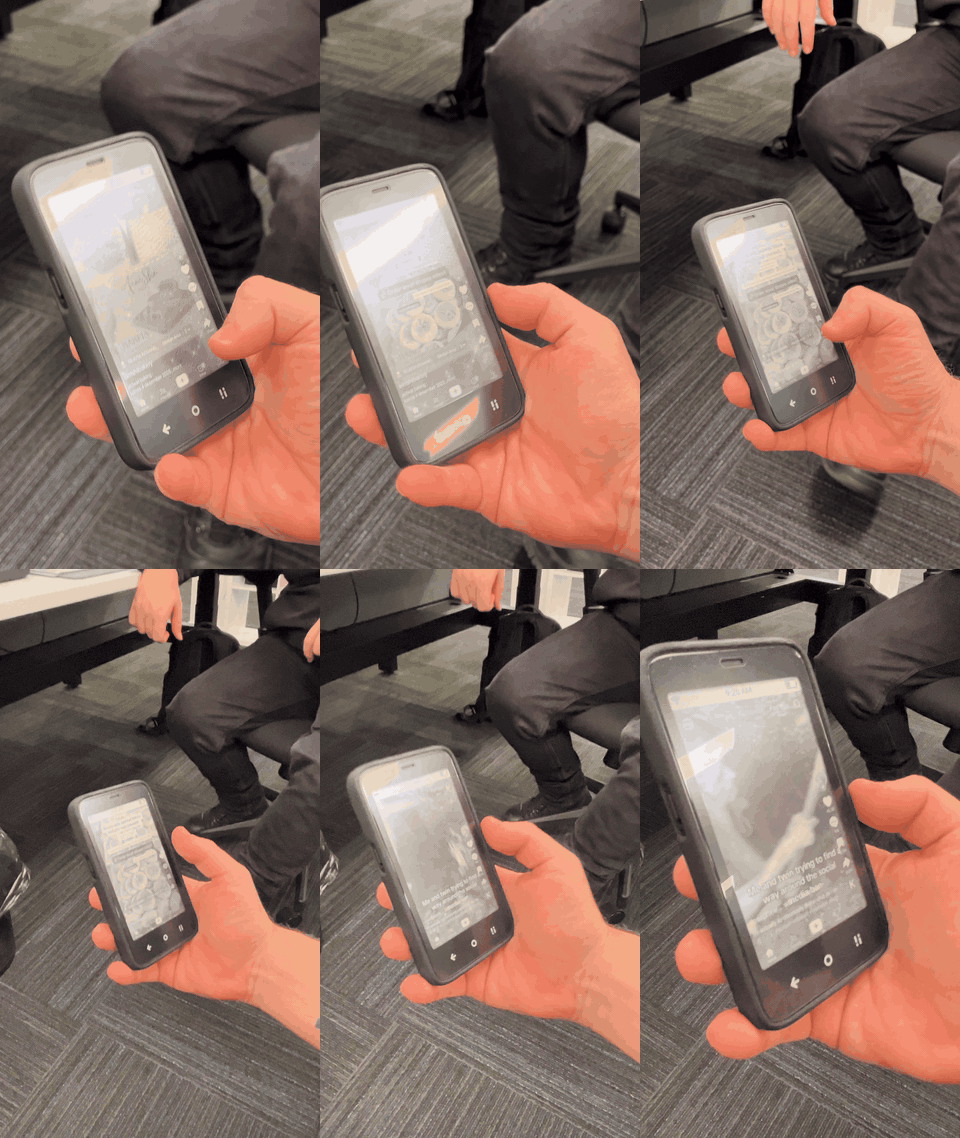
When I showed the Kompakt to a coworker, his first instinct was to install TikTok. It technically works, and watching him scroll through videos on an e-paper display at roughly three frames per second was genuinely entertaining. It did highlight that the Kompakt rewards a particular approach to technology: one where the goal is using your phone less, not finding creative ways to use it more.
Setup Guide
If you decide to get a Kompakt, here’s how I recommend setting it up:
Install Mudita Center. Download Mudita Center on your computer. This companion app lets you sideload APKs, manage files, and update the device firmware.
Sideload F-Droid and inkOS. Download the F-Droid APK from f-droid.org and the inkOS APK from GitHub. Use Mudita Center to sideload both onto the device.
Install FUTO Keyboard. Through F-Droid, add the FUTO repository and install FUTO Keyboard. Your typing experience will improve dramatically.
Install Aurora Store. Open F-Droid and search for “Aurora Store” to install it. This gives you access to apps from the Google Play catalogue without needing a Google account.
Remove the stock launcher. You can do this via ADB using WebADB in your browser:
pm disable-user --user 0 com.mudita.launcher- Configure the system font. In the ADB shell, run these commands to improve text readability on the e-paper display:
settings put system font_scale 0.90
settings put secure accessibility_bold_text 1
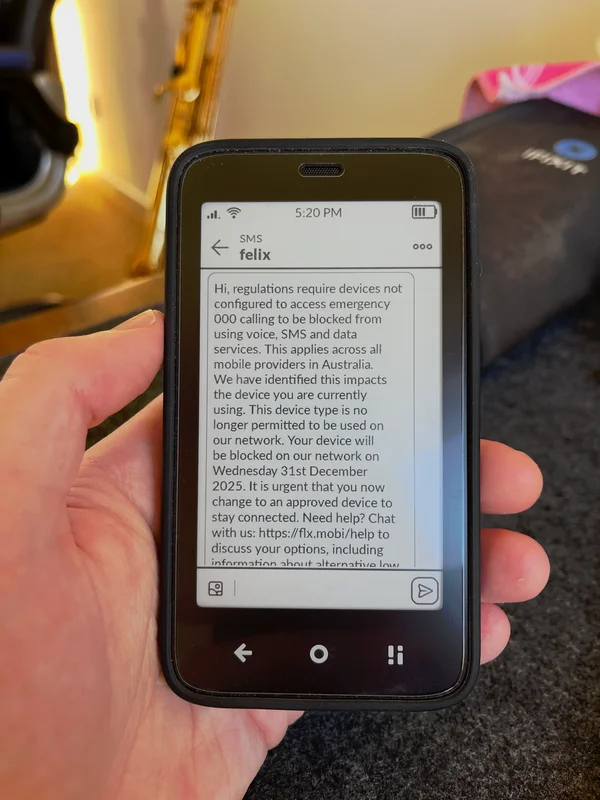
If you’re in Australia, note that the Vodafone network will be dropping support for the Kompakt’s IMEI. Belong or ALDI Mobile are Telstra MVNOs that should remain compatible.
What I Liked
The Display
The e-paper screen is pleasant to look at and performs exceptionally well in direct sunlight, far better than any traditional smartphone display. I was expecting a higher PPI panel based on my experience with other e-paper devices, and the Kompakt’s display is noticeably lower resolution than the Hisense A9. Text rendering can appear slightly jagged, and the overall clarity doesn’t quite match what I’ve become accustomed to. That said, it’s not a dealbreaker. The partial refresh is smooth for an e-paper device, and the screen remains easy on the eyes during extended use.
The Form Factor
The Kompakt is thick and chunky. With the case on, it matches the thickness of my MacBook Pro. But the compact dimensions mean the entire display is easily reachable with your thumbs. The bezels are large, but I didn’t find this bothersome in practice. Overall, the phone feels solid and well-constructed.
Sound and Call Quality
Phone calls worked reliably. Everyone I spoke with could hear me clearly, and I had no trouble understanding them. The built-in speakers aren’t suitable for music, but the phone includes a headphone jack and supports Bluetooth audio devices, so I have no complaints here.
Closing Thoughts
The Mudita Kompakt represents genuine progress in the e-paper phone space. With the right software additions, it can serve as a capable minimalist phone. But it’s not yet a device I can recommend without caveats. The reliance on community-developed software for basic functionality, the need for a secondary device, and the display quality gap compared to competitors like the Hisense A9 mean it still feels like a device for enthusiasts rather than a polished product for everyone.
For those willing to put in the work, the Kompakt offers a compelling glimpse of what a mindful smartphone experience could look like. I’m hopeful that Mudita continues to refine both the hardware and software, because the foundation here is solid.